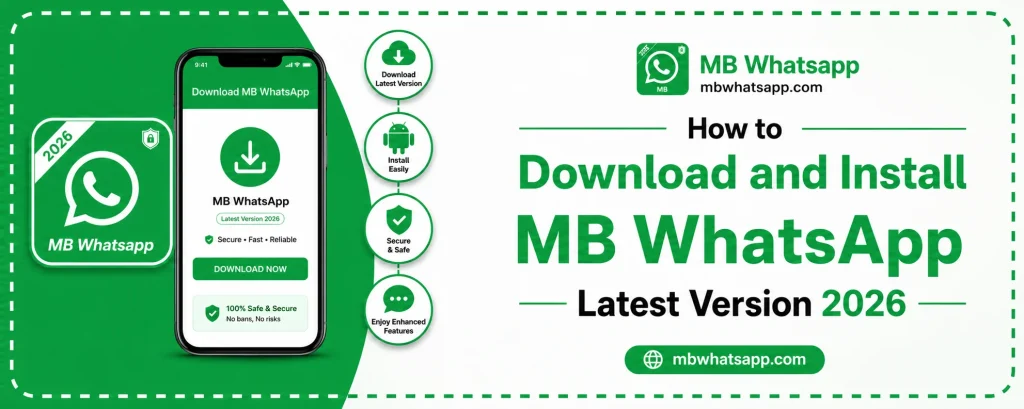
How to Download and Install MB WhatsApp Latest Version 2026

MB WhatsApp has become one of the most popular modified WhatsApp applications available for Android users. If you are looking for advanced privacy features, custom themes, and extra functionality that the official WhatsApp does not offer, MB WhatsApp is worth exploring. This guide will walk you through everything you need to know about downloading and installing the latest version of MB WhatsApp in 2026.
What Is MB WhatsApp
MB WhatsApp is a modified version of the official WhatsApp messenger. It is developed by third-party developers and offers a wide range of features that go beyond what the standard WhatsApp provides. Users get access to better privacy controls, theme customization, the ability to run dual accounts, increased file sharing limits, and much more. The app is available for Android devices and can be downloaded from mbwhatsapp.com.
Why People Choose MB WhatsApp in 2026
The demand for MB WhatsApp continues to grow because users want more control over their messaging experience. Here are some of the main reasons people prefer it:
- Hide online status without going offline for others
- Send files up to 700 MB in size
- Use two WhatsApp accounts on a single phone
- Access hundreds of free custom themes
- Enable anti-delete messages to read deleted texts
- Set custom privacy for individual contacts
- Schedule messages for a later time
System Requirements Before You Install
Before downloading MB WhatsApp from mbwhatsapp.com, make sure your Android device meets these basic requirements:
| Requirement | Minimum Specification |
|---|---|
| Android Version | Android 5.0 or higher |
| Storage Space | At least 200 MB free |
| RAM | 1 GB or more recommended |
| Internet Connection | Required for download and setup |
| Unknown Sources | Must be enabled in settings |
How to Enable Unknown Sources on Android
Since MB WhatsApp is not available on the Google Play Store, you need to allow your phone to install apps from outside the Play Store. Here is how to do it:
For Android 8.0 and Above
Go to Settings, then open Apps or Application Manager. Find your file manager or browser, tap on it, and enable the option that says Allow from this source or Install unknown apps.
For Older Android Versions
Go to Settings, scroll to Security, and toggle on the switch next to Unknown Sources. Confirm when prompted.
Step-by-Step Download and Installation Guide
Follow these steps carefully to download and install MB WhatsApp on your Android device:
Step 1: Visit mbwhatsapp.com
Open your phone’s browser and navigate to mbwhatsapp.com. Look for the download button for the latest 2026 version. Always download from the official site to ensure you get a safe and updated APK file.
Step 2: Download the APK File
Tap the download button and wait for the APK file to finish downloading. The file size is usually around 50 to 70 MB. Make sure you have a stable internet connection during this step.
Step 3: Open the Downloaded File
Once the download is complete, open your notification panel or go to your downloads folder. Tap on the MB WhatsApp APK file to begin installation.
Step 4: Install the App
Your phone will ask for permission to install the app. Tap Install and wait for the process to complete. It usually takes less than a minute.
Step 5: Set Up MB WhatsApp
After installation, open MB WhatsApp. Enter your phone number, verify it with the OTP sent to your number, and restore your backup if you have one. You are now ready to use MB WhatsApp.
Tips for a Smooth First-Time Setup
- Always back up your official WhatsApp chats before switching
- Use a number that is not already active on official WhatsApp on the same device
- Grant all necessary permissions including contacts, storage, and camera
- Choose a username and set your profile picture during the setup wizard
Common Mistakes to Avoid During Installation
Many users run into issues during installation because of simple mistakes. Here are the ones to watch out for:
- Downloading from unreliable websites instead of mbwhatsapp.com
- Not enabling unknown sources before starting installation
- Installing over an older version without backing up chats first
- Ignoring storage space warnings before downloading
Frequently Asked Questions
1. Is MB WhatsApp free to download and use? Yes, MB WhatsApp is completely free. You can download it from mbwhatsapp.com without paying anything.
2. Can I use MB WhatsApp alongside the official WhatsApp? Yes. MB WhatsApp uses a different package name, so it can run alongside the official WhatsApp on the same device without any conflict.
3. Will I lose my chats when switching from official WhatsApp to MB WhatsApp? Not if you back up your chats first. You can restore your backup during the MB WhatsApp setup process.
4. Is it safe to download MB WhatsApp from mbwhatsapp.com? The site is the most trusted source for the latest MB WhatsApp APK. Always use mbwhatsapp.com to avoid downloading tampered files.
5. How often is MB WhatsApp updated? MB WhatsApp is updated regularly to add new features and address bugs. Check mbwhatsapp.com periodically for the latest version announcements.
Conclusion
Downloading and installing MB WhatsApp 2026 is a simple process when you follow the right steps. By visiting mbwhatsapp.com and following this guide, you can have the app running on your Android device in just a few minutes. The app opens up a new level of customization and privacy that makes messaging far more enjoyable and flexible compared to the standard experience.