How to Hide Blue Ticks and Read Receipts in MB WhatsApp
Blue ticks in WhatsApp signal to the sender that their message has been read. While this feature helps with communication, it can also create unwanted pressure to respond immediately. MB WhatsApp gives users powerful tools to control blue ticks and read receipts in ways the official app simply does not allow. Here is everything you need to know.
Understanding Blue Ticks and Read Receipts
In both official WhatsApp and MB WhatsApp, messages go through a series of status indicators shown as tick marks:
- One grey tick: Message sent
- Two grey ticks: Message delivered to recipient’s device
- Two blue ticks: Message has been read by the recipient
Read receipts work both ways. When you read someone’s message, they see blue ticks. When they read your message, you see blue ticks on your end. MB WhatsApp lets you break this cycle selectively or completely.
Method 1: Disable Blue Ticks for All Chats
This is the most straightforward way to stop others from knowing you have read their messages.
- Open MB WhatsApp and go to Settings
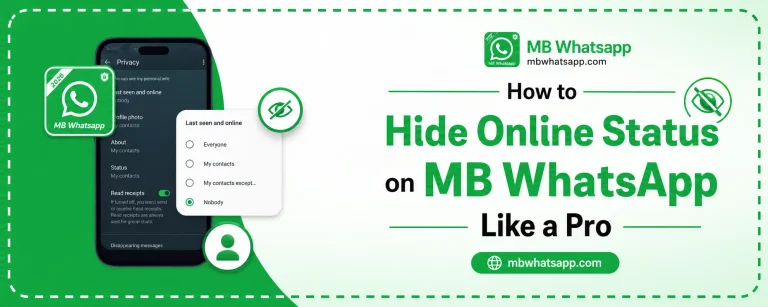
- Tap Privacy
- Find Read Receipts and toggle it off
Once disabled, your contacts will never see blue ticks on their messages when you read them. However, turning this off also means you will not see blue ticks on messages you send to others.
Method 2: Read Messages Without Blue Ticks Using Popup Notifications
This is a clever trick that works in MB WhatsApp. When a message arrives, instead of opening the chat, read it through the notification popup.
- Enable message preview in notification settings
- When a message arrives, expand the notification
- Read the message content from the notification bar
- The chat will not register as read, so no blue ticks are sent
Method 3: Disable Blue Ticks for Specific Contacts Only
MB WhatsApp allows you to disable read receipts for individual contacts rather than globally. This way, you can still see blue ticks on messages with most people while hiding them from specific contacts.
- Open the chat with the specific contact
- Tap their name to access contact info
- Look for Contact Privacy Settings
- Disable Read Receipts for that contact only
| Setting Level | Coverage | Use Case |
|---|---|---|
| Global Disable | All chats | Maximum privacy |
| Per-Contact Disable | Selected contacts | Selective control |
| Group Chat Settings | Group messages | Group-specific privacy |
Method 4: Control Group Chat Read Receipts
Group chat read receipts work differently. In MB WhatsApp, you can disable the display of read receipts in group chats so that other members cannot see whether you have read the message.
- Go to Settings, Privacy
- Find Group Privacy settings
- Toggle off Group Read Receipts
Method 5: Use the Anti-Delete Combined with Read Receipt Control
MB WhatsApp also includes an anti-delete feature that lets you read deleted messages. When you combine this with hidden read receipts, you create a privacy setup where:
- You can see all messages including deleted ones
- Senders cannot tell if you have read anything
- You maintain full awareness while appearing unresponsive
Reading Messages in Airplane Mode
Another method to read messages without triggering blue ticks is to use airplane mode:
- Turn on airplane mode before opening MB WhatsApp
- Read the messages you want
- Close the app completely (force stop it)
- Turn airplane mode off
Since the app never connected to WhatsApp servers while you were reading, the blue ticks are never sent. This method works on both official and MB WhatsApp but is more reliably managed through MB WhatsApp’s built-in settings.
Frequently Asked Questions
1. If I disable read receipts, can I still see when others have read my messages? No. Disabling read receipts is mutual. You will not see blue ticks from others either when you turn the feature off globally.
2. Can I hide blue ticks in group chats separately from individual chats? Yes. MB WhatsApp has separate privacy controls for group chats and individual conversations.
3. Will someone know if I read their message using the notification method? No. Reading from the notification bar does not trigger the read receipt because the chat is never officially opened.
4. Does MB WhatsApp support this feature in the latest 2026 version? Yes. The latest version available on mbwhatsapp.com includes full read receipt controls.
5. Can I use blue tick control and online status hiding together? Absolutely. MB WhatsApp allows you to enable all privacy features simultaneously for complete messaging privacy.
Conclusion
Controlling blue ticks and read receipts in MB WhatsApp Update is one of the most valued features the app offers. Whether you prefer to disable them globally, for specific contacts, or use clever workarounds like notification reading, MB WhatsApp from mbwhatsapp.com gives you the flexibility to manage your messaging privacy exactly the way you want it.