MB WhatsApp vs Official WhatsApp: Complete Guide 2026
Choosing between MB WhatsApp and the official WhatsApp can be confusing, especially when both apps serve the same core purpose of messaging. This complete comparison guide breaks down the key differences so you can make an informed decision about which app suits your needs better.
Overview of Both Apps
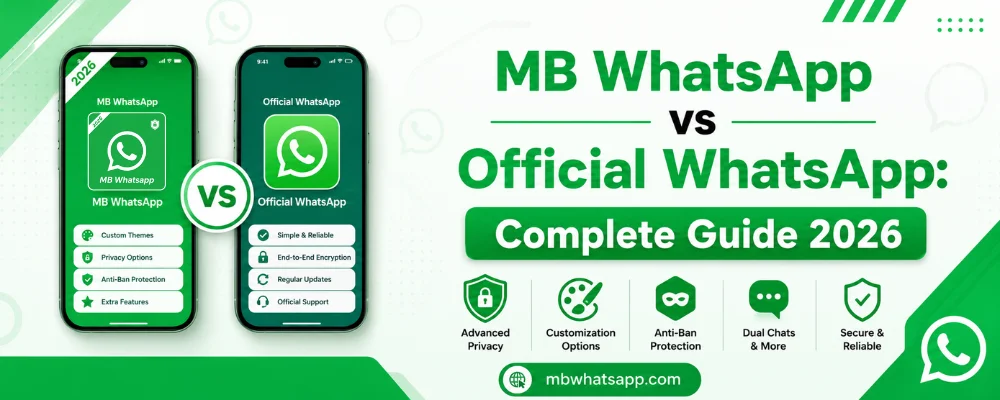
The official WhatsApp is developed and maintained by Meta. It is available on the Google Play Store and App Store and is used by billions of people worldwide. MB WhatsApp, available at mbwhatsapp.com, is a modified version built on WhatsApp’s core but enhanced with dozens of additional features that Meta does not offer in the standard app.
Feature-by-Feature Comparison
| Feature | MB WhatsApp | Official WhatsApp |
|---|---|---|
| Custom Themes | Hundreds available | None |
| Hide Online Status | Yes | Limited |
| Anti-Delete Messages | Yes | No |
| File Size Limit | Up to 700 MB | 100 MB |
| Dual Account Support | Yes | No |
| Blue Tick Control | Full control | Limited |
| Auto-Reply | Yes | No |
| Message Scheduler | Yes | No |
| DND Mode | Yes | No |
| Status Download | Yes | No |
| App Lock | Built-in | No |
| Google Drive Backup | Limited | Full |
| Play Store Availability | No | Yes |
| Account Ban Risk | Moderate | None |
Privacy Features Comparison
MB WhatsApp Privacy Controls
MB WhatsApp gives users exceptional control over their privacy. You can hide your last seen from specific contacts while staying visible to others, disable blue ticks for individual chats, freeze your last seen to a specific time, and hide your typing and recording indicators.
Official WhatsApp Privacy Controls
The official app offers basic privacy features such as last seen visibility, profile photo privacy, and status privacy. However, these apply globally to all contacts or specific categories, with no per-contact customization.
Customization and Themes
One of the biggest draws of MB WhatsApp is the massive library of themes available through the app. Users can completely transform the look of their chat interface with custom colors, fonts, bubble styles, and backgrounds. mbwhatsapp.com often features new theme packs with each major update.
The official WhatsApp offers only two modes, light and dark, with no further customization options.
File Sharing Capabilities
MB WhatsApp allows users to send files up to 700 MB in size, which is a significant upgrade from official WhatsApp’s 100 MB cap for documents and media. MB WhatsApp also lets you send up to 90 images in a single batch, compared to 30 in the official app.
Performance and Stability
Official WhatsApp Performance
The official app is built by Meta’s engineering team and is thoroughly tested on millions of devices. It generally offers more stable performance, reliable push notifications, and consistent updates through the Play Store.
MB WhatsApp Performance
MB WhatsApp is generally stable but may occasionally have compatibility issues on certain Android versions or after major Android updates. The development team at mbwhatsapp.com works to resolve these quickly, but the update cycle is not as fast as Meta’s team.
Security and Account Safety
The official WhatsApp uses end-to-end encryption and is backed by Meta’s security infrastructure. MB WhatsApp also uses the same encryption layer but adds features that require additional data access, which is a consideration for security-conscious users.
Using a modified app always carries some risk. The MB WhatsApp team has implemented anti-ban measures to reduce the chance of account suspension, but there is always a small risk involved that does not exist with the official app.
Who Should Use MB WhatsApp
- Users who want extensive privacy controls
- People who need to run dual WhatsApp accounts
- Those who love customizing their app’s appearance
- Users who frequently share large files
- People who want features like message scheduling and auto-reply
Who Should Stick With Official WhatsApp
- Users who prioritize account safety above everything
- People who rely on seamless Google Drive backup
- Business users who depend on WhatsApp Business features
- iOS users, since MB WhatsApp is primarily Android-focused
Frequently Asked Questions
1. Can I switch from official WhatsApp to MB WhatsApp without losing my chats? Yes, as long as you back up your chats from the official app and restore them during MB WhatsApp setup.
2. Does MB WhatsApp have end-to-end encryption? Yes, MB WhatsApp uses the same encryption as official WhatsApp since it is built on the same base.
3. Can I use MB WhatsApp and official WhatsApp at the same time on one device? Yes. They use different package names and can run simultaneously without conflict.
4. Is there a business version of MB WhatsApp? MB WhatsApp focuses on personal use. For business-specific features, the official WhatsApp Business app is more suitable.
5. Where can I download MB WhatsApp safely? Always download from mbwhatsapp.com to ensure you get the official and safest version of the app.
Conclusion
Both MB WhatsApp vs official WhatsApp have their strengths. If you want more features, privacy controls, and customization, MB WhatsApp from mbwhatsapp.com is an excellent choice. If you prioritize stability, security guarantees, and Play Store support, the official app is the safer bet. Many users choose to run both and enjoy the best of both worlds.