MB WhatsApp Privacy Settings Explained: Complete Guide 2026
Privacy is at the core of why millions of users choose MB WhatsApp over the official app. MB WhatsApp offers an extensive suite of privacy settings that give users control over nearly every aspect of their visibility and data sharing. This complete guide explains all of the privacy settings available in MB WhatsApp 2026.
Overview of MB WhatsApp Privacy Features
MB WhatsApp’s privacy system is far more granular than what official WhatsApp offers. It covers last seen, online status, blue ticks, typing indicators, recording status, profile photo visibility, status visibility, and much more. Understanding each setting helps you craft a privacy setup that perfectly matches your needs.
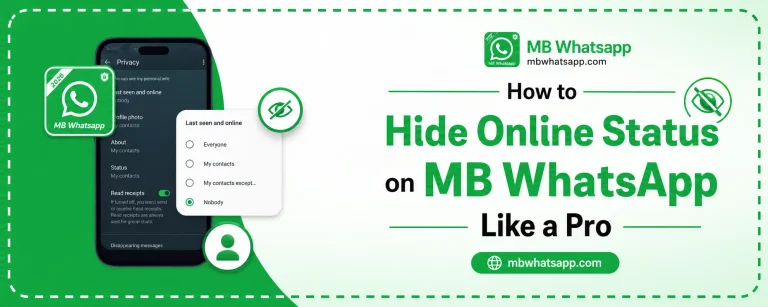
Last Seen Settings
Last Seen shows contacts the last time you were active on the app.
Options Available
- Everyone: All contacts and non-contacts can see your last seen
- My Contacts: Only people saved in your contacts list
- My Contacts Except: Your contacts minus specific people you choose
- Nobody: No one can see your last seen
- Freeze Last Seen: Locks your last seen to a chosen timestamp
The Freeze Last Seen feature is exclusive to MB WhatsApp and is particularly popular because it lets you appear to have a static last seen rather than showing as hidden, which can seem suspicious.
Online Status Privacy
Separate from last seen, the online status shows a green dot or the word Online when you are actively using the app.
MB WhatsApp allows you to:
- Hide online status from everyone
- Hide from specific contacts only
- Use a ghost mode that makes you invisible while the app is open
Blue Tick and Read Receipt Controls
| Setting | Effect |
|---|---|
| Disable globally | No one sees blue ticks when you read messages |
| Disable per contact | Only selected contacts cannot see blue ticks |
| Group read receipts off | Group members cannot see your read status |
| Notification read | Read messages via popup without triggering ticks |
Typing and Recording Indicators
When you type in a chat, the other person sees Typing. When you record a voice message, they see Recording. MB WhatsApp lets you hide both of these indicators.
- Go to Settings > Privacy
- Find Typing Indicator and toggle it off
- Find Recording Indicator and toggle it off
Once disabled, your contacts will not see any activity indicators while you compose messages or record voice notes.
Profile Photo Privacy
Control who can see your profile picture:
- Everyone
- My Contacts
- My Contacts Except (with exclusions)
- Nobody
MB WhatsApp adds the ability to hide your profile photo from specific individuals while keeping it visible to everyone else, which official WhatsApp does not support.
Status Privacy
Your WhatsApp status (the 24-hour stories feature) can be controlled with similar granularity:
- Show to all contacts
- Show to specific contacts
- Hide from specific contacts
- Hide from everyone
This means you can share personal updates with friends while keeping professional contacts from seeing them.
Anti-Delete Messages
This privacy feature works in your favor as a recipient. When enabled, MB WhatsApp saves messages that senders delete, allowing you to read them even after they have been removed.
- Go to MB WhatsApp Settings
- Find Anti-Delete Messages
- Toggle it on
Note: This feature only applies to messages sent to you. It does not affect messages you send.
App Lock and Fingerprint Security
MB WhatsApp includes a built-in app lock feature that adds an extra layer of security:
- Go to Settings > Privacy > App Lock
- Enable the lock and choose your method: PIN, pattern, or fingerprint
- Set the lock delay (immediately, 1 minute, 5 minutes, etc.)
This ensures that even if someone accesses your phone, they cannot read your messages without authentication.
Chat Lock for Specific Conversations
Beyond app-level locking, MB WhatsApp lets you lock individual chats. Locked chats require authentication to open and do not appear in the main chat list.
- Long press on a chat
- Tap the lock icon or select Lock Chat from the menu
- The chat will move to a locked section
Frequently Asked Questions
1. Can I hide my profile photo from one specific contact in MB WhatsApp? Yes. MB WhatsApp supports per-contact profile photo privacy, which the official app does not offer.
2. Does the Anti-Delete feature violate the sender’s privacy? This is a personal choice. The feature helps recipients access messages that were sent to them. Whether to use it is up to individual users.
3. Is the app lock in MB WhatsApp separate from my phone’s screen lock? Yes. MB WhatsApp’s app lock is an additional lock specific to the app. Your phone’s screen lock still functions independently.
4. Do I need to configure all these settings every time I reinstall MB WhatsApp? No. Settings are usually preserved if you restore from a backup. However, some preferences may need to be reapplied after a fresh install.
5. Where can I download MB WhatsApp with all these privacy features? Download the latest version from mbwhatsapp.com to access the complete privacy suite described in this guide.
Conclusion
MB WhatsApp’s privacy settings in 2026 represent one of the most comprehensive systems available in any messaging application. From hiding your online status to locking individual chats with fingerprint authentication, the level of control available is remarkable. Use this guide to set up your privacy preferences and download the latest version from mbwhatsapp.com to ensure you have access to every feature discussed here.