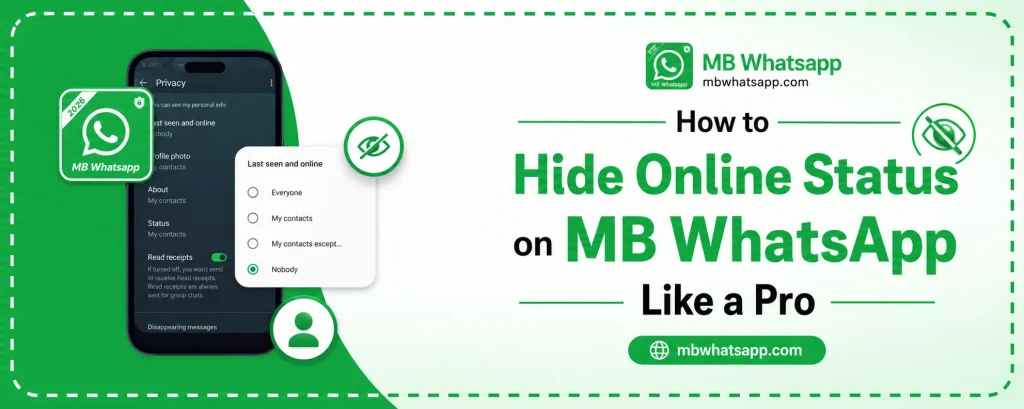
How to Hide Online Status on MB WhatsApp Like a Pro
One of the most popular reasons people choose MB WhatsApp over the official app is the superior online status control it provides. Whether you want to browse messages without letting others know you are online or you simply value your privacy, MB WhatsApp App gives you the tools to manage your online presence like a professional. This guide covers every method available in 2026.
Why Hiding Online Status Matters
In the official WhatsApp, when you open the app, it shows you as online to all your contacts. This can create social pressure, as people expect immediate replies once they see you are active. MB WhatsApp solves this problem by giving you granular control over what others see.
Method 1: Use the Built-In Online Status Hider
MB WhatsApp has a native feature that hides your online status entirely.
- Open MB WhatsApp and go to the three-dot menu
- Tap MB WhatsApp Settings or Privacy Settings
- Look for the option labeled Hide Online Status or Go Offline
- Enable this option
Once enabled, you can read messages and use the app without appearing online to your contacts.
Method 2: Freeze Your Last Seen
Freezing your last seen is a step beyond simply hiding it. Instead of removing it entirely, this feature locks your last seen to a specific timestamp so contacts always see the same time regardless of when you are actually using the app.
- Go to MB WhatsApp Settings
- Open Privacy Options
- Find Freeze Last Seen and toggle it on
This is particularly useful if you do not want to appear as if you have hidden your last seen completely, which can sometimes make contacts suspicious.
Method 3: Hide Online Status from Specific Contacts
MB WhatsApp allows you to hide your online status from individual contacts rather than all of them at once. This means you can appear online to friends while staying hidden from certain people.
Steps to Set Per-Contact Online Visibility
- Open the chat of the contact you want to hide from
- Tap their name at the top to open their profile
- Look for Contact Privacy or Online Privacy options
- Customize the visibility setting for that contact
| Visibility Option | What It Does |
|---|---|
| Everyone | All contacts see your online status |
| My Contacts | Only saved contacts see it |
| Nobody | No one can see you are online |
| Custom | Choose specific contacts |
Method 4: Enable DND Mode
MB WhatsApp includes a Do Not Disturb mode that works differently from simply hiding your status. DND mode disconnects the app from the internet temporarily, making you appear completely offline even if your phone is connected.
- Open MB WhatsApp settings
- Find the DND or Airplane Mode option within MB WhatsApp settings
- Enable it when you want to go completely invisible
In DND mode, you will not send or receive messages until you disable it, but no one will see you online during this period.
Method 5: Combine Privacy Settings for Maximum Invisibility
For complete online invisibility, combine multiple settings:
- Enable Hide Online Status
- Turn on Freeze Last Seen
- Disable blue ticks (read receipts)
- Turn off typing indicators
With all of these active, contacts cannot tell whether you have read their messages, when you were last active, or whether you are currently using the app.
Tips for Using These Features Responsibly
- Let close contacts know you use privacy settings to avoid misunderstandings
- Regularly check messages even when invisible so you do not miss important updates
- Update MB WhatsApp regularly from mbwhatsapp.com to access the latest privacy improvements
Frequently Asked Questions
1. Can contacts tell if I have hidden my online status on MB WhatsApp? They cannot see your exact status, but they may notice it is always hidden. Using Freeze Last Seen makes it less obvious.
2. Does hiding my online status affect my ability to send and receive messages? No. Hiding your status only affects what others see. You can still send and receive messages normally.
3. Can I hide my online status from just one person? Yes. MB WhatsApp supports per-contact privacy settings for online status.
4. Is DND mode the same as airplane mode? No. DND mode in MB WhatsApp disconnects only the app from the internet, not your entire phone. You can still make calls and use other apps.
5. Where can I download MB WhatsApp to access these features? Download the latest version from mbwhatsapp.com to get all the privacy features mentioned in this guide.
Conclusion
MB WhatsApp offers some of the most powerful online status controls available in any messaging app. Whether you want to hide from everyone, specific contacts, or just need occasional invisibility, the features available on mbwhatsapp.com make it possible. Use the methods in this guide to take full control of your online presence and enjoy messaging on your own terms.